

LPL Financial
Check out our Resources and Set Up a Retirement Plan Today
THE EASIEST PLACE
TO SET UP A 401(k)
The premier digital 401(k) TPA
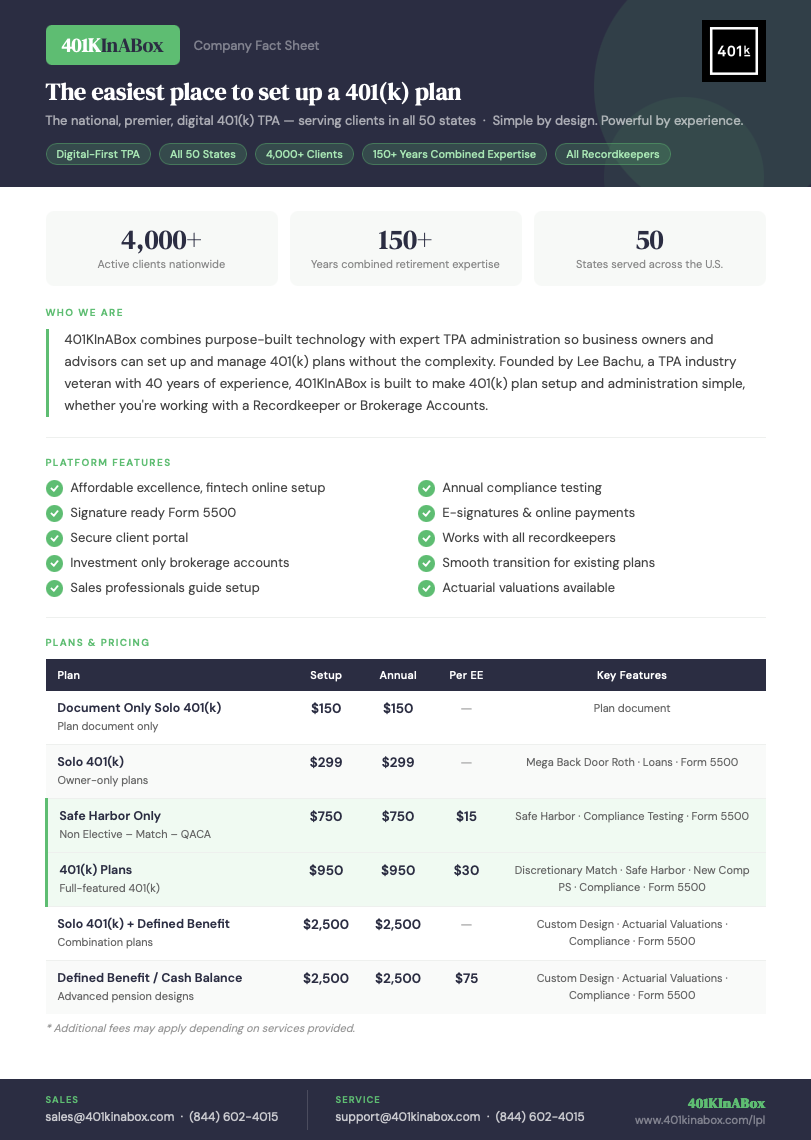
401KInABox is a national, digital-first Third Party Administrator (TPA) serving business owners and their financial advisors in all 50 states. We've built a purpose-driven platform that makes 401(k) plan setup and administration straightforward, without sacrificing compliance rigor or service quality. With over 4,000 active clients and 150+ years of combined retirement expertise on our team, we combine fintech convenience with deep ERISA knowledge, so LPL advisors can offer their business-owner clients a cost-effective, modern 401(k) solution backed by expert administrators every step of the way.
SOLO Plan Calculator
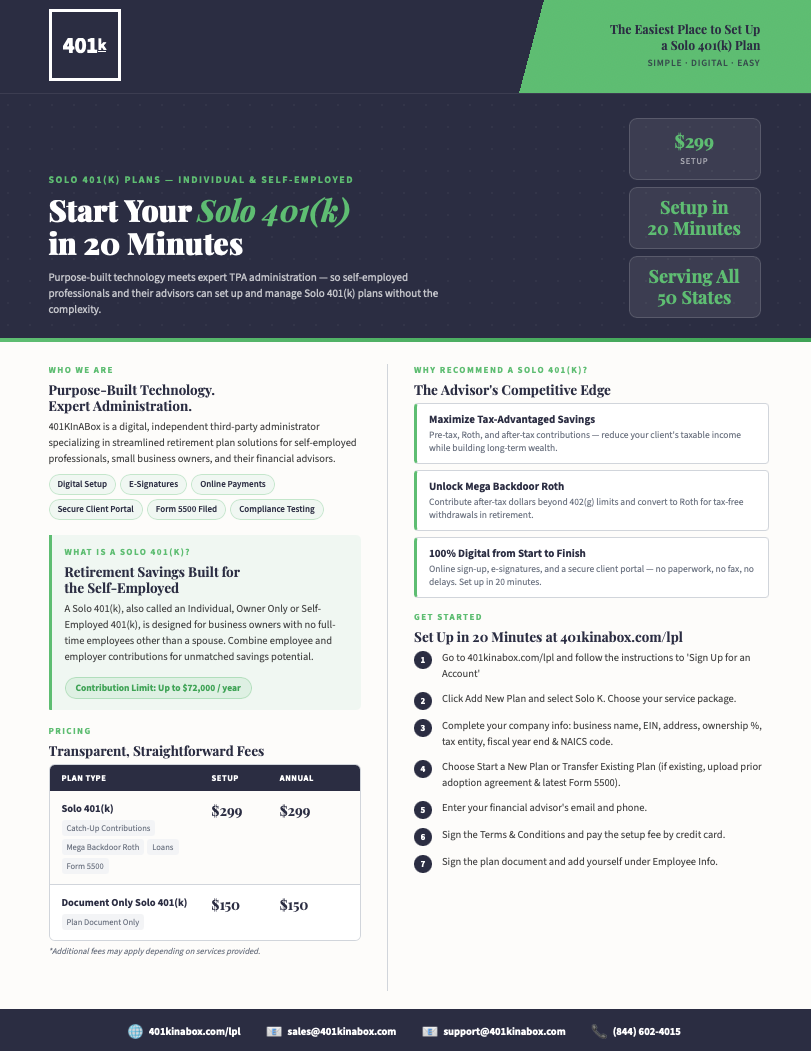
Try our SOLO 401(k) Plan Calculator. Great for small business owners.

Cash Balance Plan Calculator
Try our Cash Balance Plan Calculator. Great for Cash Balance Plans.

Company Fact Sheet
SOLO Fact Sheet
Cash Balance Fact Sheet
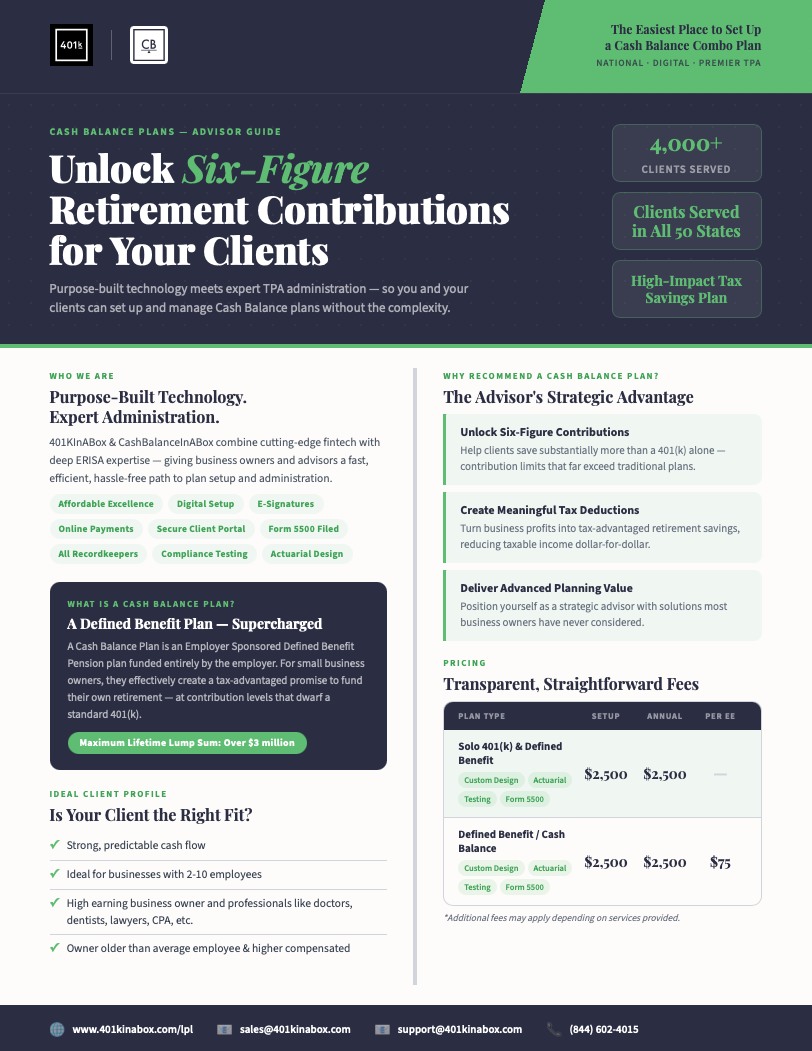
Illustration Request
Interested in seeing what a plan could look like for your client? Complete an illustration request and our team will prepare a custom proposal based on your client's specific goals and workforce profile.
-
Start by telling us about your plan. You'll provide your contact information as the advisor of record, along with your client's company details — including their EIN, entity type, and business address. This is the foundation we need to open your case and get your plan set up correctly from day one.
-
Next, we'll collect trustee information and any additional plan-level details needed to administer the plan. This ensures the right parties are properly identified and that your plan document reflects the legal structure of the sponsoring entity.
-
Finally, submit your employee census — the complete workforce data that drives your compliance testing. For each employee in the plan, you'll provide gross compensation, dates of birth, hire dates, and termination dates where applicable. This data allows our team to run accurate discrimination testing and deliver your results without back-and-forth.
Sign-Up Steps

Advisor Sign Up
We’re here for you along the way, but we believe you’re going to love the digital process for growing your 401(k) clientele (and feel good that you brought a cost-effective, modern solution for your business-owner clients).
-
Check out our 3 pricing options to get an idea of what each option offers, but no need to make a decision just yet.
-
Create your advisor account so you can start adding clients and creating+managing plans.
-
When you add a client, you will select one of our 3 options. Our new client process will walk you through the steps.
Send your customer an invitation directly to our platform to quickly set up their account online in about 15 minutes. Whether you are suggesting a recordkeeper or brokerage accounts, you bring your investments and we walk your client through the rest.

Employer Sign Up
We’re here for you along the way, but we believe you’re going to love the digital process for starting your 401(k) plan.
-
Click the button below to create your account. In first dropdown choose “My Self” and complete the information requested.
You will receive an activation email and then you can log in.
-
Once you are logged into your new account, click “Add New Plan” and choose your plan type from the dropdown. You can look through our plan options HERE.
-
Fill in your company information.
Go to New Plan/Transfer and select “Start a New Plan/Transfer Existing Plan”, complete Start-up/Transfer questions.
Go to Plan Information, enter the Effective Date of the plan and the expected first 401k contribution.
-
If you have a financial advisor, enter their email address and name. Otherwise enter in your email address if you do not have a financial advisor.
Accept and sign Terms and Conditions.
-
Make the set-up payment.
-
If you are setting up a new plan, you will review and sign the Plan Document.

Find your territory representative at 401KInABox
Four regional territories cover all 50 states and the District of Columbia. Hover any state to see who owns it, then reach out directly — no routing queue, no forms.